4–8 weeks
from analysis to launch
Service · Document workflow automation
The solution takes in documents, extracts the data you need, routes files to the right person or system, starts approvals, and writes the result into your business systems.
from analysis to launch
document formats and templates per project
of the standard approval chain automated
Document workflow automation is the end-to-end movement of documents without manual work: the solution takes files from email, scans, photos, and systems, recognises the type and extracts the data you need, routes the document to the right person or system, starts approvals, and writes the result into your business systems with an archive.
Unlike simple recognition of individual files, here the document’s whole path is automated: identifying its type, checking it against your rules, sending it to the right person, approval, and storage in an archive that shows who handled it and when. The process no longer depends on when someone finally gets to an email.
The solution fits accounting, logistics and export, travel, construction, and legal departments — anyone who processes thousands of documents a month and loses time on manual checks and approvals.
The problem
Someone opens, checks, forwards, and archives each one by hand.
A wrong field on an invoice costs time and money.
A document sits in the inbox until someone gets to it.
What you'll get
From email, scans, photos, and systems.
The solution identifies the document type.
The fields you need, in a structured form.
Data checked against your rules.
The document goes to the right person.
Data goes into your software, and the archive shows who handled each document and when.
What's included
From email, scans, photos, and systems.
The solution identifies the document type.
The fields you need, in a structured form.
Data checked against your rules.
The document follows a route to the right person.
Data goes into your software, and the archive shows who handled each document and when.
Industries
Invoices and acceptance certificates: recognition, checks, and posting to your accounting system.
The document package for legal requirements, automatically.
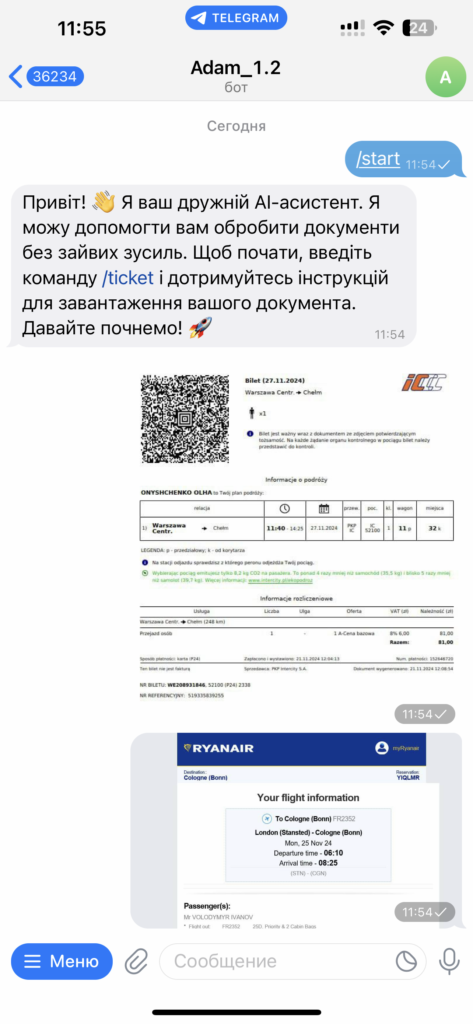
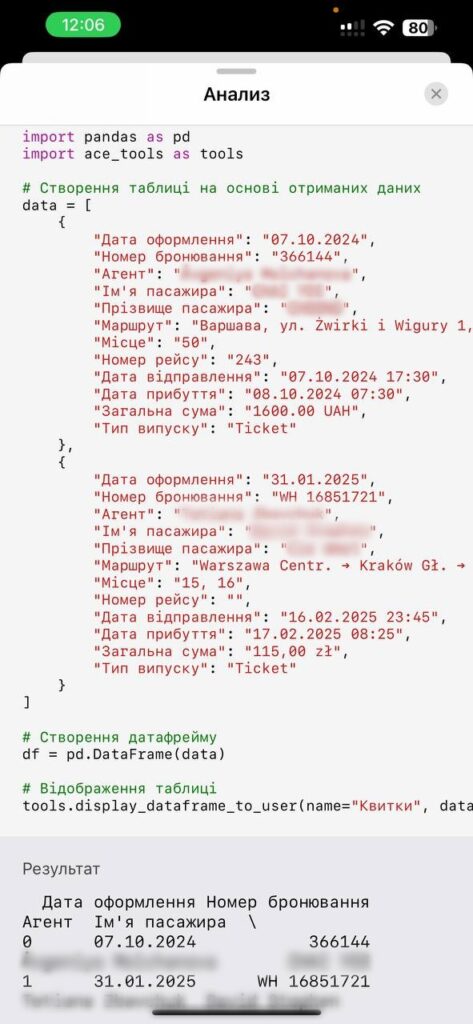
Tickets, bookings, and policies in a single processing flow.
Site reports and approvals along a route.
Classification of incoming documents and version control.
Document workflow automation is software that moves a file through its whole lifecycle without manual handoffs — intake, classification, validation, routing, approval, updates to your systems, and archiving. In a manual workflow a person identifies each file, checks the figures, and forwards it to an approver, so documents pile up at month end. In an automated document workflow, business rules and AI models make those decisions, the document keeps moving, and every action lands in an audit trail.
This is business process automation applied to the paperwork layer. A full build runs the document from the moment it arrives — by email, scan, photo, upload form, or an API feed — to the moment it is archived. That end-to-end chain is what separates document workflow automation from a scanner and a shared drive.
Capture from email, scans, photos, upload forms, shared folders, or an API feed.
The system identifies the document type — invoice, contract, delivery note — and reads the file.
It pulls the fields you need and checks them against your rules and master data.
Files are routed to the right person or queue, with multi-step approval, reminders, and escalation.
Clean data is written into your ERP or accounting system, and the file is archived with an audit trail.
Rule-based document workflow automation works on identical files. Real document flows are messier: suppliers change invoice layouts, contracts arrive as photos, and forms carry handwritten notes in the margin. The AI layer covers that variation — document classification by content instead of a fixed template per sender, OCR on scans and phone photos, and field-level data extraction from layouts the system has not seen before.
AI models score their own confidence per field: high-confidence documents move straight through, while ambiguous ones go to a reviewer with the uncertain value marked. That extracted data then drives the routing decision, the approval threshold, and the record created in your systems, so intelligent routing and exception handling become part of the workflow rather than a manual queue.
The model recognises the document type without a template per sender.
Reads scanned and photographed documents, including poor-quality ones.
High-confidence files pass through; low-confidence ones are routed to a human reviewer.
Flagged fields follow a defined route instead of sitting in a manual queue.
Enterprise document automation deals with volume and structure at once. These are the constraints we design around: thousands of documents a month across intake channels, processed without a month-end backlog; a dozen document types and several departments touching the same file; and approval chains that change above set amounts, with delegation and escalation when a step stalls.
Enterprise document automation also means access that mirrors your org chart, a full audit trail behind every automated decision, and integration with the legacy databases and older ERP versions that appear in most projects. Workflows are built for several times your current volume, so growth stays a capacity question rather than another hiring round.
Thousands of documents a month, processed without a backlog at month end.
A dozen document types and several teams working the same file in one place.
Approval routes that change above set amounts, with delegation and escalation.
Access that mirrors your org chart, and an audit trail behind every decision.
Connections to older ERP versions and internal databases.
Built for several times your current document volume.
How it works
We take the process your team already runs, exceptions included.
We lay out the routes and rules.
We train recognition and connect systems.
We validate on your documents and go live.
Results
85% accuracy of entered data
Case study: IDEA Travel Solutions2× faster document processing
Case study: IDEA Travel SolutionsSource-document accounting automated across 200+ locations
Case study: Thrash!Source documents processed over 10× faster — hours instead of days
Case study: MHPScanned contracts read by OCR, with one human confirmation to post
Case study: Private school chainup to 60% less time on reporting
Case study: AdamantProCase studies
 IDEA Travel Solutions
Document processing twice as fast
 AdamantPro
Up to 60% less time on reporting
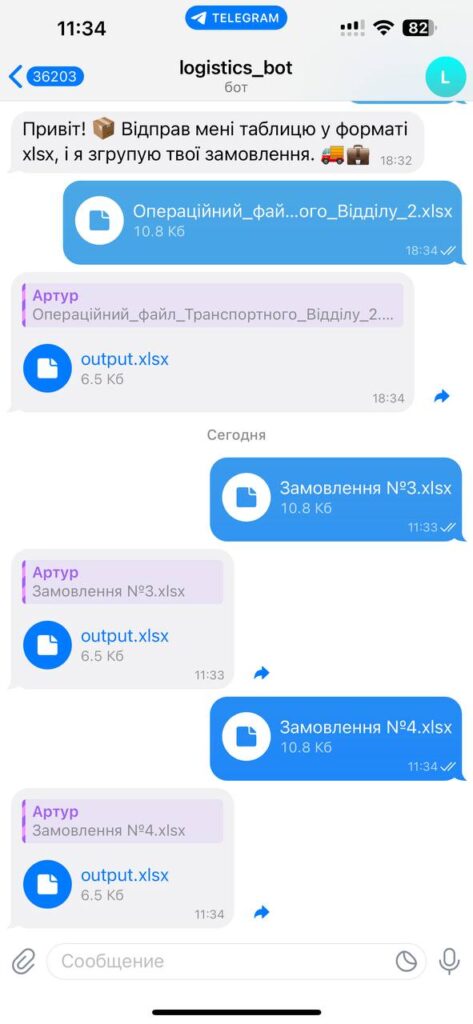
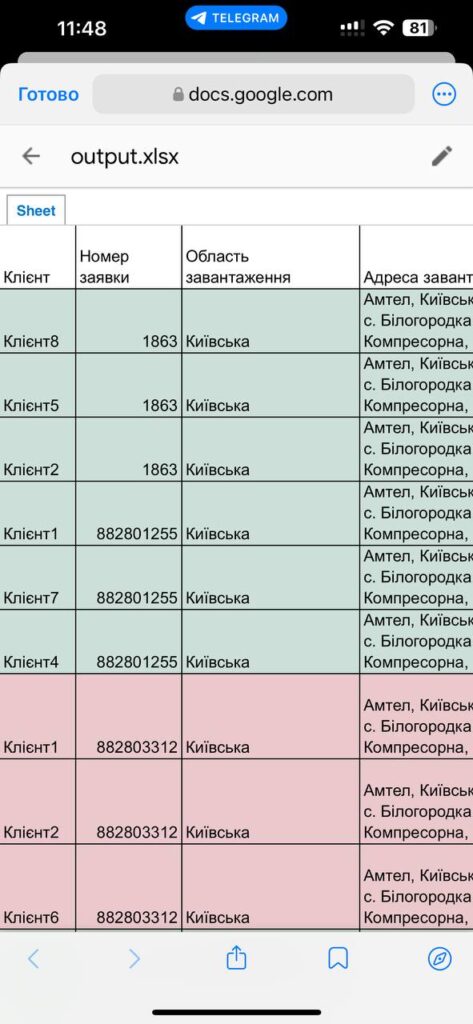
View case studyLogistics costs down by up to 30%
Pricing
Final cost depends on scope and integrations. We'll give exact pricing and timelines after a free consultation.
Client testimonial
 MHP
We needed to optimise the export documentation preparation process, reduce the impact of human error, and eliminate potential mistakes. Together with the team, we developed and launched an innovative AI-powered platform. The system now automatically generates a complete package of documents, while allowing us to adapt templates to changing international regulatory requirements within minutes.
The project was implemented in phases, with each scenario carefully tested and refined through multiple rounds of validation. Even now, as the system is successfully operating, we continue to scale it further. Our team is impressed with the level of automation, and I am genuinely satisfied with the results of our collaboration.
 Mykhailo HorunExpert in Improving Sales Support and Logistics Process Efficiency, MHP
Why us
We’ve built photo data processing for IDEA Travel and report automation for AdamantPro.
Not just text recognition, but also sending to the right person, approval, and archiving.
Checks and approval routes are set up for your process.
You can see who handled each document and when.
FAQ
With the process your team already runs: which documents come in, who checks and signs them, and what the exceptions are.
Usually 4–8 weeks from analysis to launch.
Into your business systems: the solution writes the data, starts approvals, and archives the files.
The ready-made agent recognises photos and scans and extracts data to pass to your system. Document workflow automation adds approval routes, checks against your rules, connections to your systems, and an archive — the whole process, not just recognition.
Development starts at $2,000 and support at $150/mo. The final cost depends on the number of document types, rules, and integrations — send a request for a quote.
Your accounting and business systems, email, and file storage. We connect them directly (through an API) or with ready-made plug-ins for popular software.
Document workflow automation organises the end-to-end movement of documents: from taking in an incoming file to identifying its type, extracting data, checking it, sending it to the right person, approval, and archiving. The solution works with the flow of documents and embeds into your business processes, rather than handling individual files in isolation.
How it differs from the ready-made “Automated document processing” agent: that agent is a subscription service that recognises photos and scans and extracts data in a structured form to pass to your system. Turnkey document workflow automation adds approval routes, checks against your rules, connections to your systems, and an archive that shows who handled each document and when — that is, the whole process, not just recognition.
In short: if you just need to “pull the data out of a document,” the ready-made document processing agent will do. If a document has to pass through several people and systems with approval and storage, that’s document workflow automation. In projects, such a solution raised data entry accuracy to 85% and doubled processing speed.
Related solution:
Source documents into your accounting system without manual entry
Other services
Free consultation
In the consultation we'll walk through your process, show similar rollouts, and give you pricing and timelines. The first consultation is free.
What you'll get from the consultation
We use cookies for analytics and advertising to understand how the site is used. You can accept or reject them; see our privacy policy for details.