How AI Accounts Receivable Automation Supports Credit Control
Contents
- What Is Accounts Receivable Automation?
- How AI Accounts Receivable Automation Works
- Invoice and Payment Tracking
- Automated Payment Reminders
- Payment Matching and Reconciliation
- Exception Handling and Human Review
- Key Benefits of AI Accounts Receivable Automation
- Accounts Receivable Automation Use Cases
- B2B Credit Control
- Retail and E-commerce Reconciliation
- AI Financial Reporting
- How to Implement AR Automation in Your Business
- How Much Does Accounts Receivable Automation Cost?
- When Should You Build Your Own AI Solution?
- Conclusion
Late payment remains a daily problem for B2B finance teams. According to the 2026 Atradius Payment Practices Barometer, late payment affects seven in ten North American companies, and overdue invoices average 23% of B2B receivables. Meanwhile, many credit controllers still track due dates in spreadsheets and write chasers by hand, since invoice and bank data are kept in separate systems.
With accounts receivable automation, these steps are connected into one workflow, and the repetitive work is handled by AI agents. In addition, each stage can be automated separately.
What Is Accounts Receivable Automation?
Accounts receivable automation is the use of software to move an invoice from issue to cash posting with minimal manual input. It is one area of AI business process automation, alongside source document entry and CRM updates. In practice, accounts receivable process automation covers the steps after billing, so your team handles only disputes and decisions. The common approaches differ in how they treat incomplete data:
- Rule-based automation: Reminders go out on fixed days, and a payment is matched only when the amount and invoice number are exact. Part payments or missing references go back to manual work.
- AI accounts receivable automation: Unstructured remittance emails are read by machine learning models and LLM-based AI agents, and matches are suggested for part or combined payments. Reminder timing and tone are also adapted to the customer's payment history.
Interest in AI for accounts receivable grows with finance AI use. In Gartner's 2025 AI in Finance survey, 59% of finance leaders reported using AI in their function.
How AI Accounts Receivable Automation Works
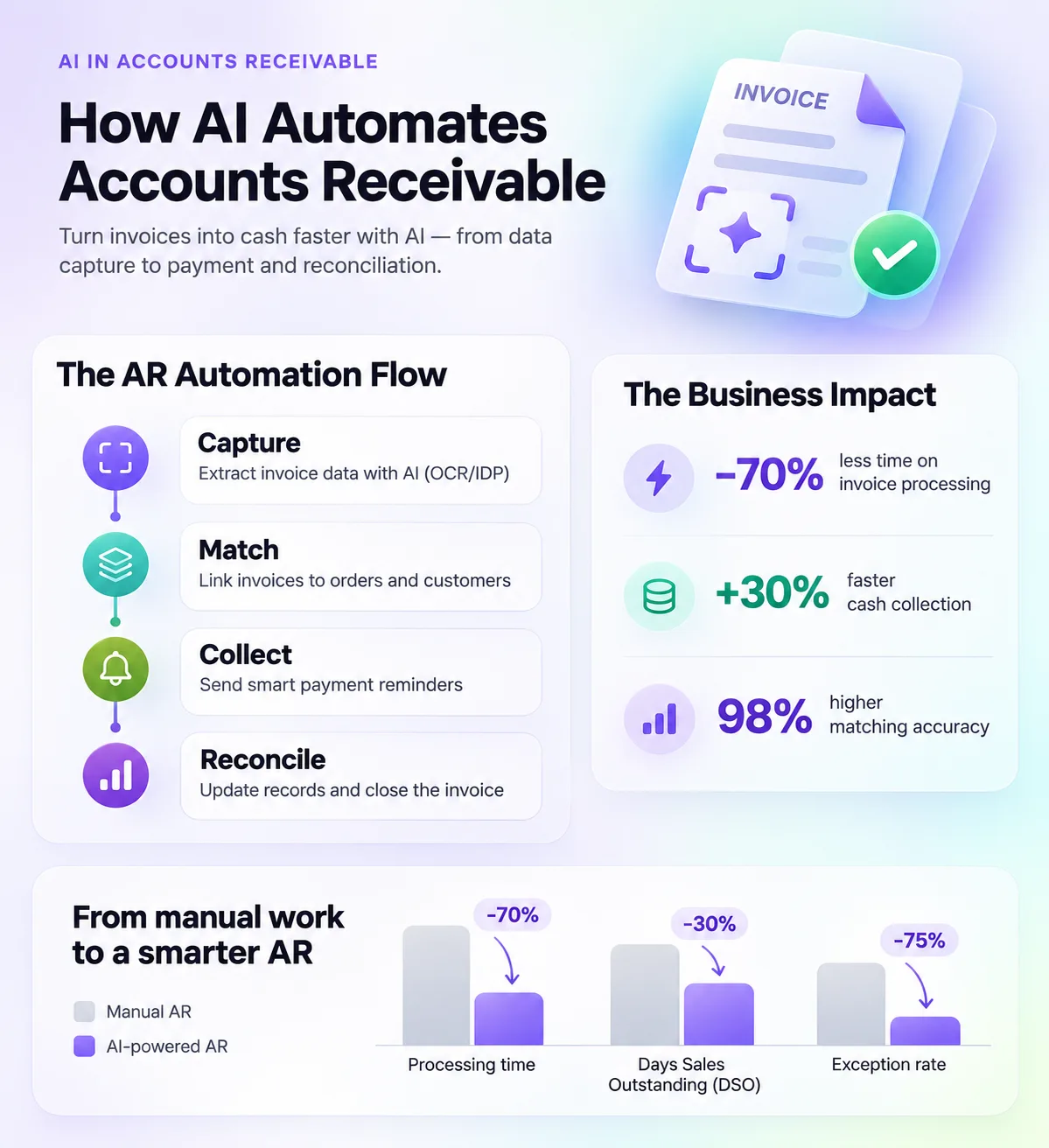
AI accounts receivable automation follows the order-to-cash sequence from invoice to ERP update, with a person involved at the exception stage.
Invoice and Payment Tracking
Open invoices are pulled from the ERP or billing system into one ledger with due dates and customer contacts. After that, statuses are updated automatically as payments and promises to pay arrive, so outstanding invoices and the aged debt report are visible in real time.
Automated Payment Reminders
Automated payment reminders are sent by email or messenger before and after the due date. Automated invoice follow up then continues on a schedule, and accounts with repeated delays are escalated to a credit controller.
Payment Matching and Reconciliation
Cash application automation links incoming bank payments to open invoices. Remittance details are extracted from emails and PDFs with the methods described in our guide to AI document processing. Confirmed matches are posted to the ERP, so payment reconciliation can run daily.
Exception Handling and Human Review
Exception handling covers payments without a confident match and disputed invoices. These cases go to a review queue with a suggested action, and a finance specialist gives human approval before any write-off or escalation.
Key Benefits of AI Accounts Receivable Automation
The main accounts receivable automation benefits are higher matching accuracy and faster chasing of overdue invoices. In addition, finance leaders get a live view of cash flow. The table compares both processes task by task:
| AR task | Manual process | AI-assisted process |
|---|---|---|
| Invoice status tracking | Spreadsheet updated weekly | Live status synced from ERP and bank |
| Payment reminders | Written and sent by a credit controller | Sent on schedule with rule-based escalation |
| Payment matching | Line-by-line check against bank statements | Suggested matches, including part payments |
| Exceptions | Found during month-end close | Flagged on arrival with a suggested action |
| Reporting | Built manually in Excel | Aged debt and DSO reports generated automatically |
The financial upside comes from working capital. According to the Hackett Group 2025 Working Capital Survey, receivables hold about $600 billion of excess working capital at large US companies. That figure reflects an 18-day DSO difference between top and median performers. With automation, delays caused by late reminders and unmatched payments become shorter, although a lower DSO, or debtor days figure, still depends on customer behaviour.
Accounts Receivable Automation Use Cases
Automated accounts receivable suits businesses that issue many invoices or receive payments through several channels.
B2B Credit Control
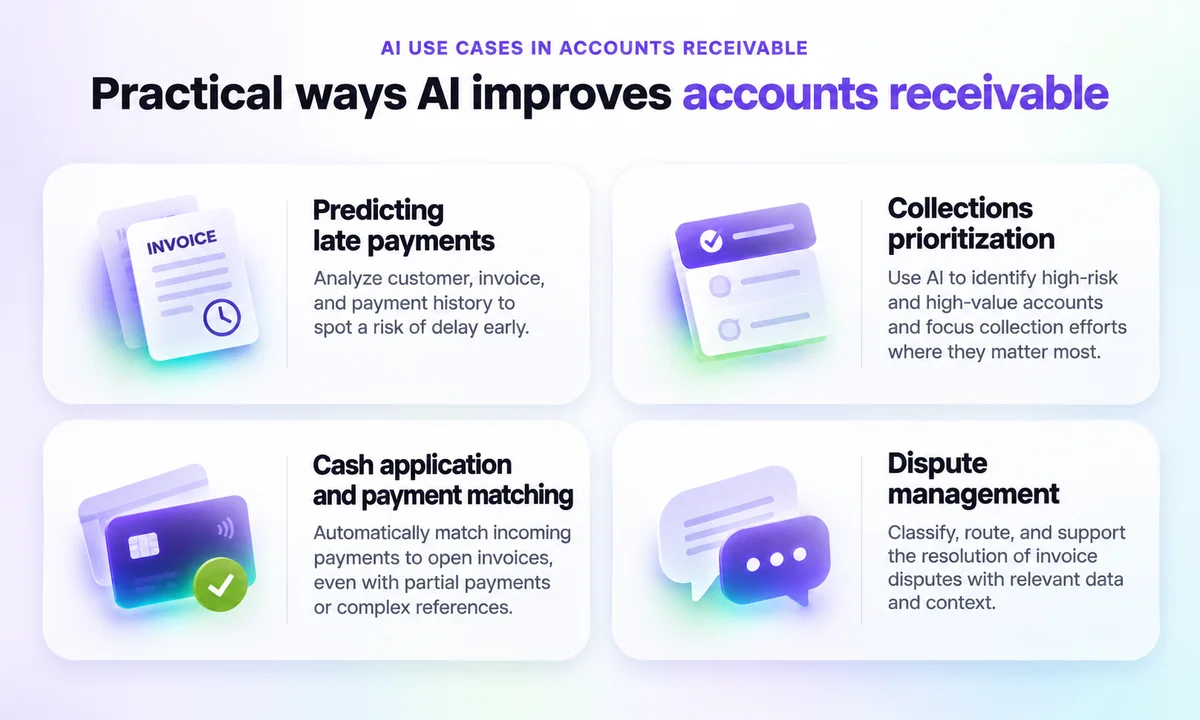
Atradius also reports that North American businesses make 43% of sales on credit terms, so credit control teams track many open invoices. With CRM integration, reminders reach the right contact, and promises to pay are logged in the CRM. Credit controllers then start the day with a prioritised call list.
Retail and E-commerce Reconciliation
Online sellers receive card processor and marketplace payouts as batch deposits net of fees and refunds. With cash application automation, each payout is split back into individual orders, and missing amounts are flagged for review.
AI Financial Reporting
Owners and finance directors need cash flow figures between month-end closes. With our AI finance agent, bank statements and ERP data are consolidated in one place. In addition, unpaid invoices are flagged, and scheduled reports are sent to a messenger or email.
After launch, progress in these use cases is measured with different KPIs:
| Use case | KPIs to track | Data sources |
|---|---|---|
| B2B credit control | DSO, collection rate, share of invoices over 30 days past due | ERP, CRM |
| Retail and e-commerce reconciliation | Auto-match rate, unmatched cash balance, days to close | Bank feeds, payment processors, ERP |
| AI financial reporting | Report delivery time, overdue balance by customer | Bank statements, ERP, spreadsheets |
How to Implement AR Automation in Your Business
Accounts receivable workflow automation works best when it starts small. One common rollout sequence looks like this:
- Audit the current process: Map the steps from invoice issue to cash posting, and record time spent and error points.
- Clean the data: Update customer contacts and payment terms in the ERP, because reminders go to the contact on file.
- Run a pilot: Start with one segment, such as a single business unit or payment channel.
- Connect ERP and CRM: Through ERP integration, open items are received and payments are posted, while contact history is added through CRM and ERP integrations.
- Track KPIs: Compare DSO and collection rate against the pre-pilot baseline before you scale up.
How Much Does Accounts Receivable Automation Cost?
The cost of accounts receivable automation software or your own AI agent depends on scope. As an indicative benchmark, our automation projects start from $2,000 for implementation and from $150 per month for support. The final figure depends on these cost drivers:
- Number of systems to integrate, such as ERP and CRM.
- Invoice volume and the share of payments without clear references.
- Number of legal entities and currencies.
- Complexity of approval rules for write-offs and escalations.
When Should You Build Your Own AI Solution?
Off-the-shelf tools work well for companies with one ERP and standard payment terms. Your own accounts receivable automation solution makes sense in other situations:
- Several ERPs or a legacy system without ready-made connectors.
- Local bank formats and payment methods that standard tools do not read.
- AR data that needs to feed other AI agents, such as sales or support assistants.
In these cases, our team builds AI solutions for business around your existing systems and approval flow.
Conclusion
With AI accounts receivable automation, invoice tracking and cash application run in one workflow, while exceptions stay with your finance team. The strongest results come from clean customer data and a measured pilot connected to your ERP and CRM. If your credit control process runs across several systems, request a free consultation with Neurotrack to discuss a finance workflow built around them.
FAQ
What is accounts receivable automation?
Accounts receivable automation is the use of software to track invoices and match incoming payments to open invoices. Automated payment reminders are sent in between, so finance teams spend less time on manual chasing and see cash flow in real time.
How does AI automate accounts receivable?
With AI in accounts receivable, remittance data is read from emails and PDFs, and part payments get suggested matches. Reminders follow the customer's payment history, while unclear cases go to a finance specialist for human approval.
What are the benefits of AI accounts receivable automation?
The main benefits are faster chasing of overdue invoices and live reporting on DSO and collection rate. In addition, fewer manual touches are needed per invoice. Results depend on data quality and customer behaviour, so a specific DSO reduction cannot be guaranteed.
Can AI send payment reminders automatically?
Yes. Automated payment reminders can be sent by email or messenger before and after the due date. Timing and wording follow your rules and the customer's history, while disputed or sensitive accounts are routed to a credit controller.
How much does accounts receivable automation cost?
Cost depends mainly on invoice volume and the number of systems to integrate. As an indicative benchmark, Neurotrack automation projects start from $2,000 for implementation and from $150 per month for support. The final price is set after a process audit.
Can AR automation integrate with an ERP?
Yes. ERP integration is the core of accounts receivable automation, because open items come from the ERP and confirmed payments are posted back to it. CRM integration can be added to keep customer contacts in sync.